Modern businesses depend on more than just a strong Wi‑Fi signal – they need a resilient network backbone. In 2025, the convergence of cloud applications, video conferencing, and Internet of Things (IoT) devices has made structured cabling and fiber-optic networks a mission-critical component of business continuity. In Northern Arizona, the stakes are even higher because harsh winters and rugged terrain can cause disruptions to poorly installed cables. This guide explains what structured cabling is, why fiber is essential for modern enterprises, and the steps Northern Arizona businesses should follow to design, install, and maintain a robust cabling system.
What Is Structured Cabling?
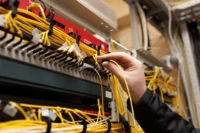
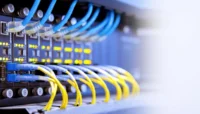
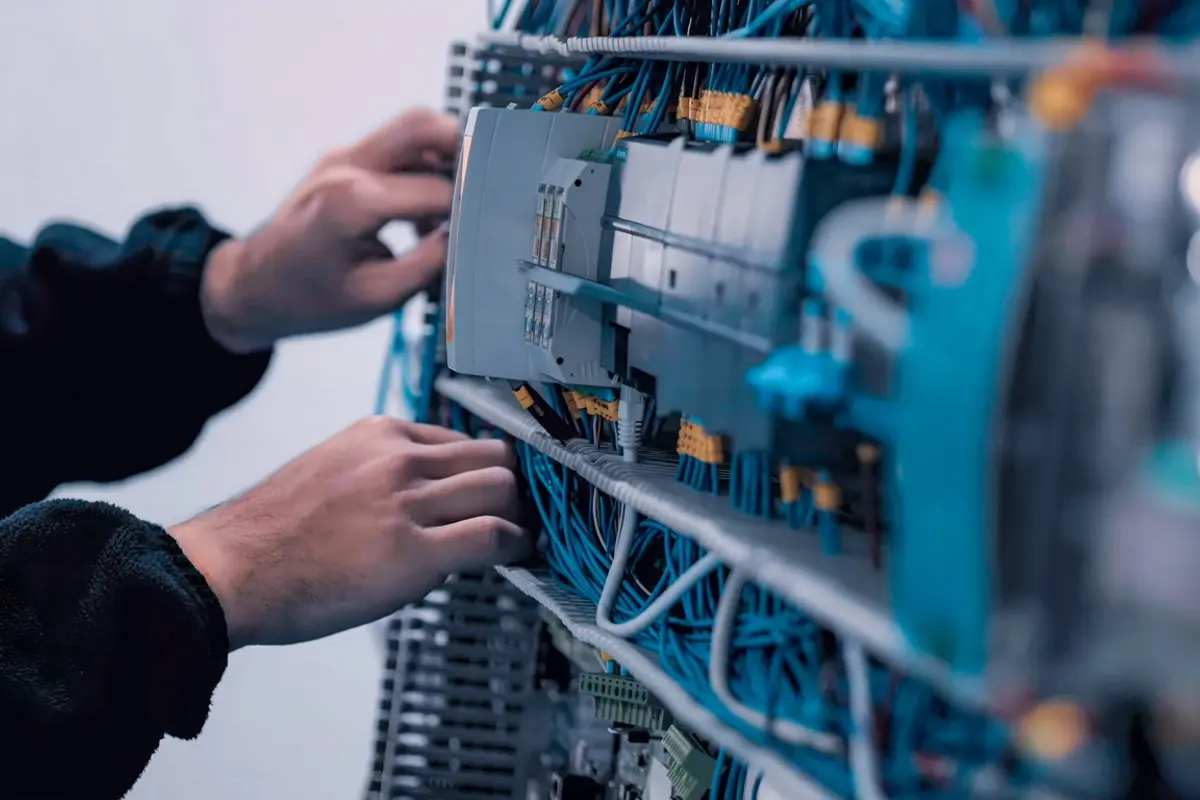
Structured cabling is an organized system of cables, connectors, patch panels, and enclosures that enables voice, data, and video communications throughout a facility. Unlike ad‑hoc wiring, a structured system is designed to handle multiple communication signals through a single, standardized infrastructure. It comprises elements such as fiber or copper cables, connectors (e.g., RJ45 for copper or LC/SC for fiber), patch panels that route connections, and racks or cabinets that house equipment. A structured design minimizes downtime, simplifies troubleshooting, and provides scalability as the organization grows.
Why Businesses Need Structured Cabling & Fiber
Network reliability and performance
A well-planned cabling system supports high-speed data transmission, reduces signal interference, and prevents connection failures. Structured cabling reduces clutter and organizes wires, thereby minimizing electromagnetic interference (EMI) and maintaining reliable connections. Fiber‑optic cables provide even greater benefits; they use light pulses instead of electrical signals, offering higher speeds, greater bandwidth, and immunity to EMI. Fiber’s ability to maintain signal integrity over long distances and its resistance to signal tapping also make it ideal for mission‑critical applications.
Scalability and future‑proofing
The structured approach allows for easy expansion as new technologies emerge. Planning for growth ensures that there are sufficient cables, ports, and capacity to accommodate additional devices, Wi-Fi access points, or emerging standards such as 5G and Wi-Fi 6. This scalability is essential for businesses in Northern Arizona, where network upgrades must be performed efficiently to minimize downtime during harsh weather conditions.
Cost‑effectiveness
Investing in high‑quality cabling may seem expensive, but it reduces the need for frequent upgrades and repairs. Fiber networks can last for decades and require less maintenance than copper, which is prone to corrosion and deterioration over time. A properly designed cabling system has a lifespan of 15–20 years or more, far longer than most network electronics.
Planning Your Structured Cabling & Fiber Installation
Assess current and future needs.
Begin with a thorough needs assessment. Document the number of devices, future growth plans, and locations of network hardware. A proper plan accounts for emerging technologies, such as IoT sensors, 5G small cells, and Wi-Fi 6 access points. During Aspen’s site surveys, technicians also evaluate building size, employee growth rates, and local internet service providers to ensure the recommended solution supports both current and future demand.
Design cable routes and pathways
Route design should minimize cable bends, avoid EMI sources, and leave room for expansion. Plan cable pathways through walls, ceilings, and floors, using conduits, raceways, and cable trays to protect cables. Conduits keep cables safe from physical damage, and firestopping seals penetrations between walls and floors to maintain fire ratings. In cold regions like Flagstaff, cables buried outdoors must be deep enough to avoid frost heave, and above‑ground routes should be protected against falling ice and snow.
Choose the right cabling media.
Select fiber or copper media based on distance, bandwidth, and environmental conditions. Fiber optics is ideal for long runs and high‑bandwidth applications because it maintains signal strength over long distances and is immune to interference. For shorter runs within a building, shielded Cat6A or Cat7 copper cabling may suffice. Single-mode fiber is best suited for links spanning kilometers, while multimode fiber is more suitable for shorter distances and local area networks. Avoid mixing single‑mode and multimode fiber in the same link, as this can cause signal loss.
Factor in redundancy and scalability
Future‑proof networks by leaving room for additional cables and using spare conduits. Redundant pathways provide backup routes if a cable fails; they are essential for organizations that cannot afford downtime. Planning for expansion also includes ensuring there are enough ports on patch panels and switches, and leaving slack in cable runs to accommodate re‑routing or relocation. Aspen’s engineers evaluate potential growth and design systems that can scale without major rewiring.
Comply with industry standards.
Structured cabling installations must meet Telecommunications Industry Association (TIA) and International Organization for Standardization (ISO) standards. The TIA/EIA-568 standard governs commercial building cabling, specifying performance requirements and color codes, while ISO/IEC 11801 provides global guidelines for structured cabling systems. Best practices published by BICSI (Building Industry Consulting Service International) also provide checklists and design considerations. Compliance ensures safety, performance, and eligibility for manufacturer warranties.
Installation Best Practices
Prepare the site
Before pulling cables, install conduits, raceways, and cable trays. These protect cables from stress and sagging, ensuring neat routing. During this stage, seal openings with firestopping material to maintain building fire ratings.
Pull and label cables carefully.
Pull cables through conduits and trays with respect for bend‑radius limits to avoid micro‑cracks and signal loss. Avoid placing network cables near electrical power lines to minimize electromagnetic interference. Label both ends of every cable with its source, destination, and function; unlabeled cables make troubleshooting extremely difficult. Use cable management tools, such as Velcro ties and color-coded labels, instead of zip ties to prevent damage to cable jackets.
Terminate and test
Terminate copper cables using keystone jacks on patch panels and fiber cables using appropriate connectors (LC, SC, or MPO). Clean fiber ends before termination to remove dust or oils. After termination, conduct comprehensive testing: optical power testing measures signal loss, OTDR testing detects faults and breaks, and continuity testing confirms proper light transmission. Certification tools such as Fluke Networks DSX verify compliance with ANSI/TIA standards and provide documentation for warranty purposes.
Manage cables and secure equipment.
Organize cables neatly in racks and cabinets to improve airflow and simplify maintenance. Use Velcro straps and cable trays to prevent tangling, which can impede airflow and create fire hazards. Dress cables neatly in patch panels and maintain clear pathways to reduce the risk of accidental disconnection or damage.
Common Mistakes to Avoid
Poor installation practices can lead to performance problems, unnecessary repairs, and even network outages. Avoid these common pitfalls:
- Selecting the wrong cable type – Using low‑capacity cables or mixing different fiber modes can limit bandwidth and cause signal loss. Always choose cables based on distance and bandwidth requirements and use consistent media throughout a link.
- Ignoring cable management – Messy cables restrict airflow, make maintenance difficult, and raise fire hazards. Utilize cable management trays, ties, and labeling to maintain organized cabling.
- Routing cables near power lines – Proximity to electrical lines can introduce EMI and corrupt data. Keep network cables separate from power cables and use shielded cables when necessary.
- Skipping testing and documentation – Failing to test each link or provide certification reports leaves hidden faults that may cause intermittent problems. Maintain detailed records of cable paths, test results, and labels for future troubleshooting.
- Underestimating future growth – Installing too few cables or ports results in costly retrofits. Plan for expansion by including additional drops and capacity from the outset.
- Mixing hardware from different vendors – Using connectors and patch panels from multiple manufacturers can void warranties and create compatibility issues.
- Improper handling and termination – Excessive bending, kinking, or pulling can damage fiber cores. Ensure installers follow the manufacturer’s bend‑radius guidelines and clean connectors before termination.
- Neglecting vertical support – Long vertical runs require proper support grips and trays to distribute cable weight; otherwise, fibers may break or stretch.
- Failing to consider climate – In Northern Arizona, freeze–thaw cycles can shift buried cables, while intense sun can degrade exposed jackets. Protect cables with robust conduits and install them below the frost line.
Northern Arizona Considerations
Cold‑weather challenges
Flagstaff and the surrounding areas experience heavy snow and freezing temperatures. Snow and ice can physically damage exposed cables, while frozen ground may shift and strain buried lines. Proper installation includes burying cables deep enough to avoid frost heave and using durable conduits for above‑ground sections. Planning routes to avoid areas prone to snow accumulation and plowing reduces the risk of exposure and damage.
High‑quality, weather‑resistant materials
Use weather‑resistant fiber and copper cables with protective sheathing to prevent moisture ingress and physical damage. In mountainous regions, temperature swings can be extreme, so selecting materials rated for both high and low temperatures is crucial. Aspen’s experience in Prescott shows that installers must consider local temperatures when choosing materials and protective enclosures.
Regular maintenance
Severe winter storms can expose vulnerabilities in network infrastructure. Schedule regular inspections, especially after storms, to check for damage or moisture ingress. Proactive maintenance ensures that networks remain operational during emergencies, when reliable communication is vital for public safety.
Terrain and code considerations
Northern Arizona’s varied terrain, from historic downtown Prescott to hillside communities, presents installation challenges. Choose an installer familiar with local geography and building codes; they will know how to route cables around obstacles and comply with permitting requirements. Knowledge of local codes and the ability to secure permits prevent delays and legal issues.
Choosing the Right Installer
Selecting a qualified installer is as important as choosing the right cabling. Aspen recommends evaluating potential partners based on:
- Responsiveness and reliability – An installer should communicate clearly, provide realistic timelines, and complete work on schedule.
- Local expertise – Familiarity with Prescott’s terrain, weather, and building codes ensures that cables are correctly routed and protected from environmental hazards.
- Commercial installation experience – Businesses have unique requirements for uptime and scalability. Choose contractors who understand commercial network needs and have proven success in similar projects.
- Attention to routing details – Proper fiber routing avoids sharp bends and ensures optimal performance.
- Knowledge of local codes and regulations – Adherence to Prescott’s building rules and permit processes prevents delays and fines.
- Post‑installation support – A reliable installer offers ongoing maintenance and support for troubleshooting and future upgrades.
Aspen Communications LLC embodies these qualities. The company’s engineers assess organizational growth, facility size, and local ISP options before designing a system. Aspen’s commitment to quality, integrity, and on‑time delivery has made it a trusted partner for businesses and government agencies in Northern Arizona. Its BICSI‑certified professionals ensure compliance with industry standards and provide long‑term warranties on structured cabling installations.
Conclusion
Structured cabling and fiber‑optic networks are the backbone of modern communications. For Northern Arizona businesses, a robust cabling system is not merely a convenience but a necessity, given the region’s challenging climate and terrain. By conducting thorough planning, following best practices in installation and testing, avoiding common mistakes, and selecting a qualified local installer, organizations can build networks that are reliable, scalable, and future‑proof. Aspen Communications LLC is ready to help design, install, and maintain these systems, allowing businesses to focus on their core operations while staying connected, even in the depths of winter.
Frequently Asked Questions
What is structured cabling, and how is it different from ordinary wiring?
Structured cabling is a comprehensive system of cables, connectors, patch panels, and enclosures designed to support voice, data, and video communications across a facility. Unlike “point‑to‑point” wiring, it uses standardized components and pathways, making it easier to expand or reconfigure networks and reducing downtime.
Why should my business choose fiber optic cabling over copper?
Fiber optic cables transmit data using pulses of light rather than electrical signals, enabling significantly higher speeds and bandwidth. Fiber is immune to electromagnetic interference and maintains signal integrity over long distances. It also offers enhanced security because tapping fiber cables is nearly impossible. Although copper is still used for shorter runs, fiber is the best choice for high‑speed, future‑proof networks.
How does Northern Arizona’s climate affect cable installation?
Areas like Flagstaff experience heavy snow and freeze–thaw cycles that can damage improperly installed cables. Installers must bury cables deep enough to avoid frost heave, protect above‑ground routes with durable conduits, and plan routes to avoid areas prone to snow accumulation and plowing. Using weather‑resistant materials and scheduling regular inspections after storms are essential for maintaining reliability.
What are common mistakes to avoid when installing fiber?
Mistakes include selecting the wrong connector type, mishandling cables, failing to test, ordering incorrect cable lengths, mixing single‑mode and multimode fiber, and neglecting vertical cable support. Each of these errors can cause signal loss, poor performance, or costly repairs. Hiring certified professionals and following manufacturer guidelines minimizes these risks.
How long does a structured cabling system typically last?
When designed and installed correctly, structured cabling can last 15–20 years or more. Fiber optic systems often last longer and require less maintenance than copper. Investing in high‑quality materials and adhering to standards prolongs the system’s lifespan and reduces the total cost of ownership.
What should I look for when hiring a structured cabling installer?
Choose an installer who communicates clearly, understands local terrain and weather conditions, has proven experience with commercial installations, follows local codes, pays attention to routing details, and offers post‑installation support. Aspen Communications exemplifies these qualities and employs BICSI‑certified professionals to ensure compliance and quality.